
You arrive at the hotel with a confirmed reservation.
You have the email. You have the confirmation number. Maybe you prepaid. Maybe you booked weeks ago. Maybe you checked the reservation before traveling.
Then the front desk says the room is not available.
That can feel impossible. If the reservation was confirmed, shouldn’t the room be waiting?
A confirmed hotel reservation usually means the hotel or booking platform accepted the booking. But it does not always mean a specific physical room has already been assigned, cleaned, inspected, and released for your arrival.
A room may be unavailable because the hotel is overbooked, the booked room category is sold out, a previous guest extended, rooms were taken offline, housekeeping has not released the room, the booking did not transmit correctly, or the hotel cannot match the room type that was confirmed.
The real question is not just:
“Why wasn’t my confirmed room available?”
It is:
“Did the hotel fail to honor the reservation, is the room just not ready yet, or is there a room-type, overbooking, or booking-channel problem?”
This guide explains why a confirmed hotel reservation may not mean a room is physically available when you arrive, what to ask at the front desk, and how to decide whether you are dealing with a delay, a downgrade, a relocation, or a cancellation issue.
Quick Answer
Why Wasn’t My Room Available If My Hotel Reservation Was Confirmed?
A confirmed hotel reservation usually means the booking was accepted, but it does not always mean a specific room is ready, assigned, and available at the moment you arrive. The room may be delayed, out of service, affected by overbooking, mismatched by room type, or tied to a booking-channel issue.
Before accepting a different room, relocation, cancellation, or refund, ask whether the problem is room readiness, room category availability, overbooking, payment status, or a third-party booking issue. The answer determines whether you should wait, request a comparable room, ask for a rate adjustment, or escalate the issue.
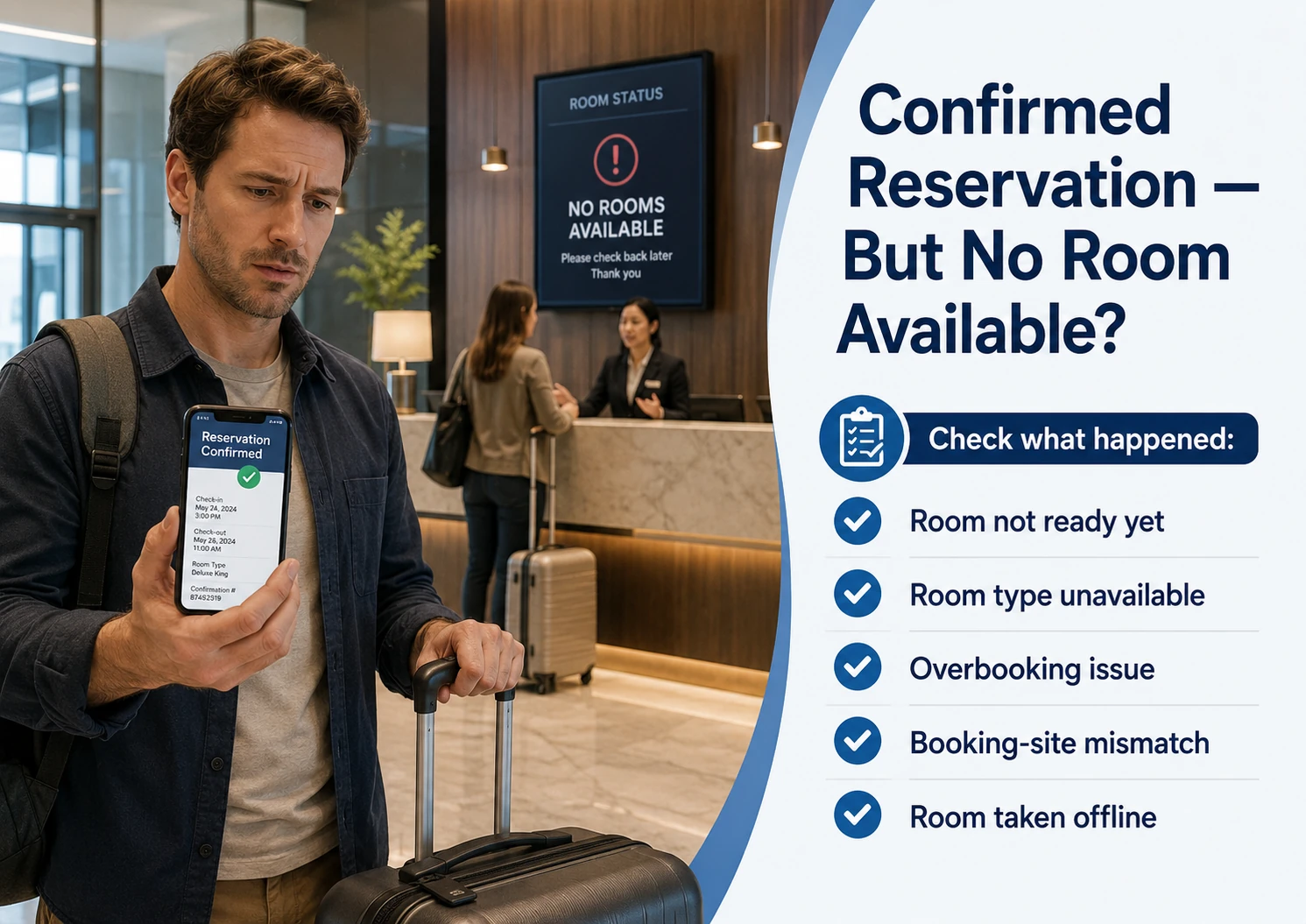
Confirmed Booking vs Assigned Room vs Ready Room
These sound like the same thing, but hotels often treat them as separate steps. A reservation can be confirmed before a specific room is assigned, and a room can be assigned before it is cleaned, inspected, and ready for guest access.
Confirmed Reservation
The hotel or booking platform accepted the reservation for a date, room type, rate, and guest details.
Assigned Room
The hotel has selected a specific room number or location within the room category you booked.
Ready Room
The room is clean, inspected, released by housekeeping, and available for you to enter.
Why a Confirmed Room Might Not Be Available
A confirmed reservation can still run into a room-availability problem when hotel operations do not line up with the booking record.
Sometimes the issue is room readiness. The hotel may have your room category available, but the specific room is not clean, inspected, or released yet. This can happen after late checkouts, staffing delays, maintenance checks, or heavy arrival and departure days.
Other times, the issue is room category availability. The hotel may have rooms available, but not the type you booked. For example, it may have a king room available but not two queens, or a standard room available but not the view category, suite, accessible room, or connecting setup that was confirmed.
A confirmed reservation can also be affected by rooms taken offline. A room may be removed from inventory because of maintenance, damage, plumbing, air conditioning problems, housekeeping issues, or renovation work. If several rooms are taken offline unexpectedly, the hotel may have fewer rooms available than the system originally expected.
There can also be a booking-channel mismatch. A third-party site, travel app, or booking platform may show a reservation as confirmed, while the hotel system has a different room type, payment status, or inventory record. That does not mean the traveler did anything wrong, but it can affect how quickly the hotel can fix the problem.
The key is to ask what kind of issue you are facing: room not ready, room type unavailable, no inventory, overbooking, or booking-system mismatch.
Traveler Risk
Accepting a different room too quickly can turn a room-availability problem into a downgrade.
The risky assumption is thinking any available room solves the problem. If the hotel gives you a lower room category, different bed setup, missing view, inaccessible room, or less valuable location than what you booked, the issue may be more than a delay.
Before accepting the replacement, confirm whether it matches your booked room type. If it does not, ask whether the hotel will provide a comparable room, rate adjustment, upgrade, refund, or written explanation of the difference.
Check the Fine Print
Not Sure Why Your Confirmed Room Wasn’t Available?
Use the Travel Fine Print Risk Checker to narrow whether the issue is room readiness, overbooking, room-category mismatch, early arrival, hotel cancellation, third-party booking problem, or another hotel fine-print concern.
What To Ask at the Front Desk
If your confirmed reservation exists but the room is not available, start by asking the hotel to identify the problem.
A room that is not ready yet is different from a room type that is not available. A housekeeping delay is different from an overbooking. A third-party booking mismatch is different from the hotel canceling or moving your reservation.
Ask the front desk:
“Is my room delayed, is my booked room type unavailable, or is the hotel unable to honor the reservation?”
That question matters because each answer leads to a different next step.
If the room is only delayed, ask when it will be ready and whether the hotel can store luggage, provide access to facilities, or offer a temporary option while you wait.
If the booked room type is unavailable, ask whether the hotel can provide a comparable or better room, adjust the rate, or document the difference.
If the hotel cannot honor the reservation at all, ask whether you are being relocated, canceled, or offered a different solution. Get the reason and the proposed fix in writing before accepting a different room or leaving the property.
Action Step
Confirm whether the issue is readiness, room type, or no inventory.
Before accepting a different room, waiting indefinitely, or leaving the hotel, ask the front desk to explain exactly why your confirmed room is not available.
Quick win: Use clear wording: “Can you confirm whether my room is not ready yet, my room type is unavailable, or the hotel cannot honor the reservation?”
Before You Accept a Different Room
Check the Confirmation Before You Settle for Less
Use the Travel Fine Print checklist to review your room type, booking confirmation, payment terms, arrival timing, room-readiness issue, and any replacement offered before the situation becomes harder to fix.
What If the Hotel Offers a Different Room?
If the hotel offers a different room, compare it to what your confirmation actually says before accepting it.
A different room may be fine if it is equal or better than what you booked. For example, the hotel may offer a higher category, a better view, or a room that meets the same bed setup and occupancy needs.
But a different room can also be a downgrade.
If you booked two queen beds and the hotel offers one king, that may not work for your party. If you booked an ocean view and receive a standard view, that may be a room-category issue. If you booked an accessible room and the replacement does not meet the same accessibility needs, that is not just a room-preference issue.
Ask the hotel whether the replacement room is the same category, a temporary room while you wait, a downgrade, or a courtesy upgrade. If the replacement is lower than what you booked, ask whether the hotel will adjust the rate, move you later, provide a better room when one opens, or document why the confirmed room was not available.
The key is to avoid turning a confirmed-room problem into an accepted downgrade without understanding what changed.
Travel Fine Print Takeaway
A confirmed reservation is only part of the room-availability story.
If your confirmed room is not available, ask whether the issue is room readiness, room type, overbooking, rooms taken offline, or a booking-channel mismatch. The answer determines whether you should wait, request a comparable room, ask for a rate adjustment, or escalate the issue before accepting a different outcome.
❓Frequently Asked Questions
These questions cover why a confirmed hotel reservation may not result in an available room at arrival and what to ask before accepting a different outcome.
Does a confirmed hotel reservation guarantee a room?
A confirmed reservation usually means the booking was accepted, but it does not always mean a specific room is already assigned, clean, inspected, and ready. If the hotel cannot provide the room type you booked, ask whether the issue is a delay, room-category shortage, overbooking, or booking-system problem.
Why would my confirmed hotel room not be available?
Common reasons include housekeeping delays, late checkouts, rooms taken offline, maintenance problems, overbooking, room-type shortages, or a mismatch between a third-party booking platform and the hotel’s system.
What should I ask if the hotel says my room is not available?
Ask whether the room is simply not ready yet, whether your booked room type is unavailable, or whether the hotel cannot honor the reservation. Then ask what comparable room, rate adjustment, relocation, refund, or written explanation is available.
Should I accept a different room?
Only after comparing it to your confirmation. A different room may be acceptable if it is equal or better, but it may be a downgrade if it has fewer beds, a lower category, no view, missing accessibility features, or fewer included benefits.
What if I booked through a third-party site?
Contact both the hotel and the booking platform. Ask whether the hotel received the reservation correctly and whether the issue is room availability, payment status, room type, or a booking-channel mismatch.
Bottom Line
A confirmed hotel reservation does not always mean a specific room is assigned, ready, and available the moment you arrive.
Sometimes the issue is simple room readiness. Sometimes the booked room type is unavailable. Sometimes rooms were taken offline, the hotel overbooked, or a third-party booking did not match what the hotel had in its system.
Before accepting a different room or leaving the property, ask what kind of problem you are dealing with: room delay, room-category mismatch, overbooking, cancellation, relocation, or booking-channel issue.
The fine print difference is simple: a confirmed reservation proves the booking existed. It does not always prove that the exact room category is assigned, ready, and available at check-in.
Related Guides
If your confirmed hotel reservation was not available, changed, delayed, or downgraded, these guides may also help:
Hotel Overbooked and Sent Me Somewhere Else: What Are My Options?
Use this if the hotel cannot provide a room and offers to relocate you to another property.
Can a Hotel Cancel Your Reservation After You Book?
See what to ask if the hotel cancels before arrival instead of telling you at check-in that no room is available.
Hotel Room Type vs Room Request: What Travelers Should Know
Learn how to tell whether the hotel failed to provide the room category you booked or only could not honor a preference.
What Happens If a Hotel Gives You a Different Room Than You Booked?
Review what to do if the hotel gives you a lower room category, different bed setup, missing view, or room that does not match the confirmation.
What Happens If You Arrive Early for Hotel Check-In?
Use this if your room exists but is not clean, inspected, or ready because you arrived before the standard check-in window.