
Airline Schedule Changes
Can an Airline Change Your Flight Without Asking?
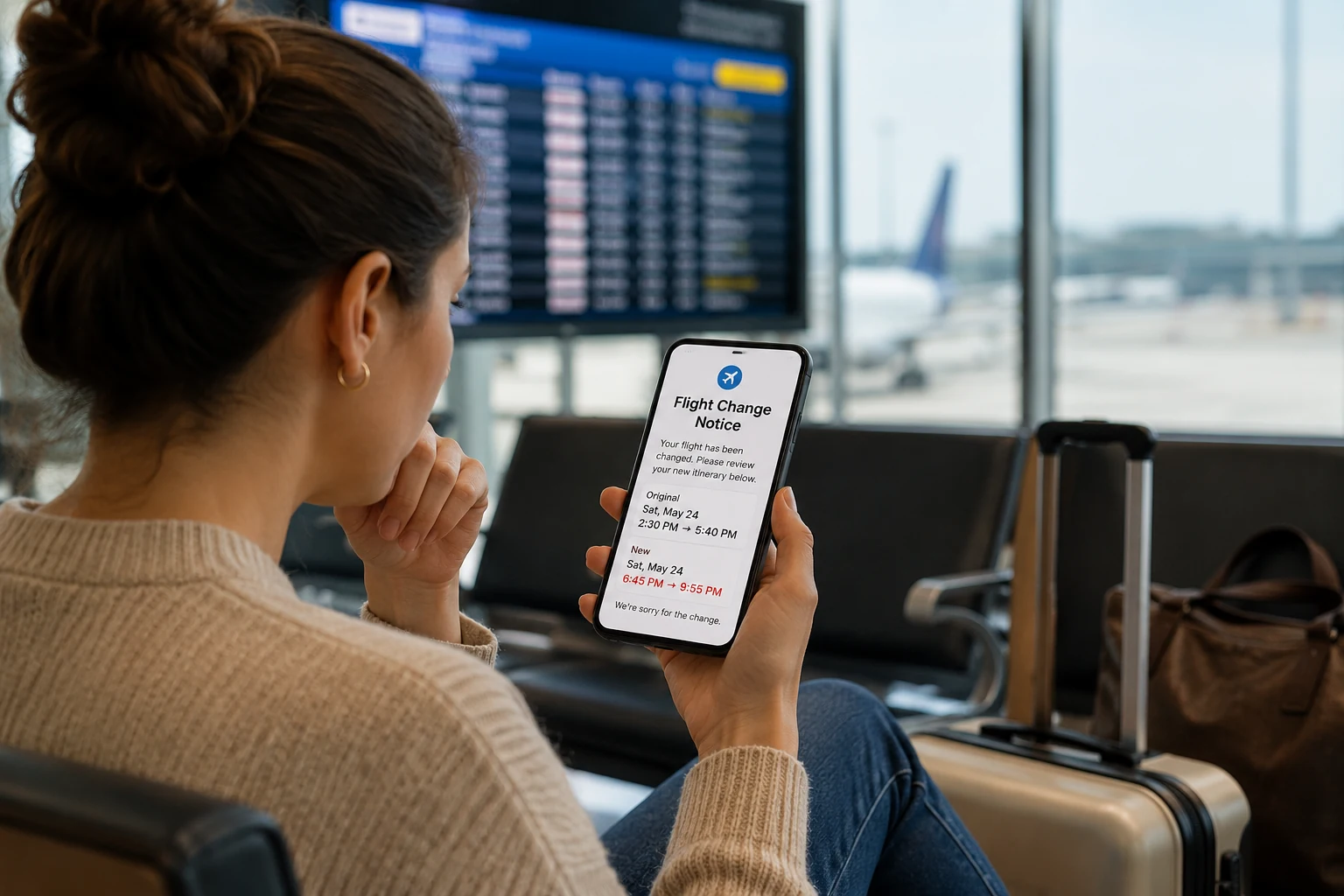
An airline may change your flight and place you on a replacement itinerary before you personally approve it—but that does not automatically mean the new flight is your only option.
What matters next is what actually changed, how you were notified, whether you have accepted the replacement itinerary, and whether another flight or a refund may still be available.
About This Guidance: Travel Fine Print examines airline schedule changes from the operational side of the reservation—how itinerary changes are processed, how travelers are notified, what actions may be treated as acceptance, and how a revised flight can affect connections, hotels, transfers, and other parts of the trip. That practical focus helps separate what the airline changed in its system from what the traveler may still be able to question, change, or decline.
How It Works
A Flight Change Moves Through Several Different Stages
An airline changing your itinerary, telling you about the change, and you accepting the replacement are not necessarily the same event. Understanding where you are in that process can help you avoid giving up options too early.
Why this matters: The airline may change the reservation before you agree to anything. The safest time to compare alternatives is before you take an action that could be treated as acceptance of the revised trip.
Notification Is Not the Same as Acceptance
An airline may notify you that your flight changed, but that does not always mean you have accepted the new itinerary.
A schedule change notice is usually the airline telling you what changed. Acceptance is your response — such as clicking accept, confirming the new itinerary, choosing a replacement flight, taking a credit, or agreeing to another option.
That distinction matters.
If the new flight does not work, do not assume the app update is the final answer. Compare the old and new itinerary first. Then decide whether to accept the new flight, ask for a better option, or request a refund if the change qualifies.
Can an Airline Change Your Flight Without Asking First?
Yes. Airlines can change your flight without asking for your approval before the change is made.
That does not always mean the airline is doing something wrong. Most schedule changes happen because the airline updates its operating schedule, aircraft assignments, route plans, airport timing, or connection structure.
When that happens, the system may automatically move passengers onto a revised itinerary.
In other words, the airline may change the flight first and notify you afterward.
That is why the email can feel backward. You are not being asked, “Would you like this new flight?” You are being told, “Here is your updated itinerary.”
But that notice is still important. It is your signal to slow down, compare the old itinerary with the new one, and avoid accepting the change before you understand your options.
The Airline May Move You First, But You Still Need to Review the Change
The biggest mistake travelers make is assuming the new flight is final just because it appears in the airline app.
Sometimes the change is small — a flight leaving 10 minutes later, a slightly adjusted arrival time, or a schedule update that does not really affect the trip.
Other times, the change creates a real problem. Your flight may now leave too early, arrive much later, add a connection, shorten your layover, remove your nonstop flight, change your airport, or make the trip impossible for your original plans.
That difference matters because your options usually depend on how significant the change is and whether you accept the revised itinerary.
Before accepting anything, compare the old itinerary against the new one. Look at the departure time, arrival time, routing, connection time, airport, cabin, and whether the new flight still serves the trip you actually booked.
Not Every Flight Change Gives You the Same Options
A flight change can mean several different things.
Sometimes the airline moves your departure by a few minutes. Sometimes it changes your connection, removes your nonstop flight, or moves you to an itinerary that no longer works for your trip.
Those situations should not be treated the same way.
Before deciding what to do, compare the original itinerary with the new one and identify what actually changed.
Flight Change Status
Changed Without Asking vs. Changed Without Clear Notice
When an airline changes your flight, the timing of the notice and your response both matter. The airline may update the itinerary first, but that is not always the same as you accepting the new flight.
No Permission First
Changed without asking
The airline may move you to a revised itinerary before getting your personal approval. That can happen when schedules, routes, aircraft, or connections change.
Missed or Unclear Alert
Changed without clear notice
The airline may send an email, text, app alert, agency message, or reservation update. But if you miss it, never receive it, or only see the change later, it can feel like there was no notice.
Traveler Response
Changed and accepted
Once you click accept, confirm the new itinerary, choose a replacement flight, or take a travel credit, it may be harder to argue that the changed flight does not work for you.
Travel Fine Print check: Do not focus only on whether the airline asked first. Check what changed, how you were notified, whether you accepted anything, and whether the new itinerary still works for the trip you bought.
When a Flight Change Is Significant Enough to Question
A flight change becomes more serious when the new itinerary no longer looks like the trip you bought. A few minutes may not matter. But a much earlier departure, later arrival, added connection, changed airport, removed nonstop, or downgrade can change the practical value of the ticket. For U.S. refund purposes, a significant change can include a domestic flight that departs 3 or more hours earlier or arrives 3 or more hours later than originally scheduled. For international itineraries, the threshold can be 6 or more hours earlier or later. Significant changes can also include a changed origin or destination airport, more connections than the original itinerary, or an involuntary downgrade to a lower class of service. These refund rights generally depend on choosing not to travel and not accepting the changed itinerary, rebooking, travel credit, voucher, or other compensation. That does not mean every frustrating flight change automatically gives you every remedy. It means you should pause before accepting the new itinerary. If you discovered the change late, check whether the airline or booking platform sent a notice, whether the change is significant, and whether you have already accepted anything. The more the new flight differs from what you bought, the more important it is to review your rebooking or refund options before moving forward.The change matters most when it alters the trip you actually bought.
A small schedule adjustment may not give you many options, but a change that reshapes the trip is different. If the airline moves you much earlier or later, adds a connection, changes airports, removes a nonstop, or downgrades your service, the issue is not just that the time changed. The issue is that the new itinerary may no longer match the trip you agreed to buy.
What to Do Before You Accept the New Flight
When an airline changes your itinerary, it may ask you to accept the new flight in the app, by email, or through your online reservation.
Pause before doing that.
Accepting the new itinerary can make it harder to argue later that the replacement flight did not work for you. Before clicking anything that looks like an acceptance button, compare the new itinerary against the one you originally bought.
Look for changes to the departure time, arrival time, routing, connection, airport, and cabin. Also check whether the new itinerary still gets you where you need to be at a workable time.
If the new flight does not work, decide what you want before responding: a better rebooking option, a refund, or more time to review the change.
Traveler Risk
Focusing only on whether you were notified can cause you to miss the bigger issue.
If you discover that the airline changed your flight, it is natural to ask why no one told you. But the more urgent question is what changed and whether you have already accepted the replacement itinerary.
The risky move is assuming the new flight is final because it appears in the app. Before clicking accept, choosing a new flight, taking a credit, or requesting a refund, compare the changed itinerary with the flight you originally bought and save proof of when you discovered the change.
Can You Ask the Airline for a Different Flight or Refund?
Yes. If the airline changes your flight, you can usually ask whether another available itinerary works better.
This is often the best first move when the new flight is inconvenient but you still want to take the trip. Airlines may be willing to move you to a different flight on the same day, a nearby time, or a routing that more closely matches what you originally booked.
The key is to be specific. Instead of only saying the new itinerary does not work, look for the flight you want before contacting the airline. If you can point to a specific available flight number, time, and routing, the conversation is usually easier.
You can say:
“My original itinerary was changed, and the replacement flight does not work for my plans. I see flight [number] at [time] still available. Can you move me to that option without a change fee or fare difference because this was an airline schedule change?”
If you do not want to travel, ask about a refund instead. A refund is more likely when the airline cancels your flight or makes a significant schedule change and you do not accept the replacement itinerary, credit, voucher, or other compensation.
The important part is to ask for the remedy you actually want before accepting an alternative. If you want cash back, ask for a refund to the original form of payment. If you still want to travel, ask for a better rebooking option.
Action Step
Find the notice trail, then compare the old and new itinerary.
If you think the airline changed your flight without telling you, first look for how the change may have been communicated. Then decide what you want before accepting the replacement flight.
- Check your email inbox, spam, and deleted folders.
- Check text messages, airline app alerts, and push notifications.
- Check the airline website for the current reservation record.
- Check messages from an OTA, credit card portal, travel agency, or package provider.
- Compare the old and new departure and arrival times.
- Look for routing, airport, connection, or cabin changes.
- Do not click accept until you know whether the new itinerary works.
- Save proof of when and how you discovered the change.
Quick win: Ask the airline or booking platform: “How was this schedule change notice sent, when was it sent, and what options do I still have before accepting the new itinerary?”
Before You Accept the New Flight
Check the trip details before the changed itinerary becomes your new plan.
If the airline changed your flight, do not review only the new departure time. Use the Travel Fine Print checklist to review connections, hotels, transfers, events, separate tickets, documents, and other trip details before accepting the replacement itinerary.
What If the Airline Changed Your Connection, Airport, or Booking Channel?
A changed flight is not always just a changed time. Sometimes the airline changes the structure of the trip.
Your nonstop may become a connecting flight. Your layover may become much shorter or much longer. Your arrival airport may change. Or, if you booked through a travel agency, online travel agency, credit card portal, or vacation package site, the airline may operate the flight while another company controls parts of the booking.
Each of those situations can affect your options.
If your connection changed, look closely at whether the new layover is realistic. A connection may be valid in the airline’s system but still difficult for a real traveler, especially with checked bags, customs, mobility needs, children, or a terminal change.
If your airport changed, do not focus only on whether the airline still gets you to the same general region. A different airport can affect transportation costs, rental cars, hotel plans, arrival timing, and whether the trip still works.
If you booked through a third party, check both the airline reservation and the booking platform. The airline may show the updated itinerary, but the travel agency or portal may need to process a refund, exchange, or ticket change.
The main rule is simple: look beyond the flight time. A changed connection, airport, or booking channel can turn a schedule update into a much bigger travel problem.
The problem is not always the schedule change itself. It is what the change does to the rest of your trip.
A new flight time may seem manageable until it affects a connection, airport transfer, hotel arrival, cruise departure, meeting, or separate booking. When reviewing an airline schedule change, look at the entire trip — not just the new departure time.

What Evidence Should You Save?
Save proof before the old details disappear from the airline app or booking site.
Airline systems often replace the original itinerary with the new one. That can make it harder to show what changed if you need to ask for a refund, request a better flight, or escalate the issue later.
Save the original confirmation email, the airline’s schedule change notice, screenshots of the new itinerary, and any chat transcripts, case numbers, or refund requests.
You do not need a complicated file. You just need enough proof to show the before-and-after difference.
At minimum, save:
- Original flight number, date, departure time, and arrival time
- New flight number, date, departure time, and arrival time
- Any connection, airport, or cabin changes
- The airline’s notice or email
- Any message showing that you requested a refund or alternate flight
If the issue becomes disputed later, those details matter more than a general statement like, “The airline changed my flight.”
❓Frequently Asked Questions
These questions cover whether airlines can change flights without asking, what notification may look like, and what to do before accepting a changed itinerary.
Can an airline change my flight without notifying me?
An airline can often change your flight before you personally approve the new itinerary. The airline may send notice by email, text, app alert, website update, travel agency message, or updated reservation record.
If you miss the notice or only discover the change later, it can feel like the airline changed your flight without warning. The next step is to compare the old and new itinerary before accepting anything.
Can an airline change my flight without my permission?
Yes. Airlines can often update schedules and move passengers to revised itineraries without asking each traveler for permission first.
That does not always mean you must accept the new flight. Your options depend on what changed, how significant the change is, and whether you accept the replacement itinerary.
How do airlines notify passengers about flight changes?
Airlines may notify passengers by email, text message, app alert, website update, phone notification, travel agency message, or an updated itinerary inside the reservation.
If you booked through an online travel agency, credit card portal, package provider, or travel agent, the notice may come from that booking channel instead of directly from the airline.
What should I do if I never received the flight change notice?
Check your email inbox, spam folder, deleted folder, text messages, airline app, booking site messages, and reservation record. Then contact the airline or booking channel and ask when and how the notice was sent.
Even if the notice was missed, focus on the current options: whether the new itinerary works, whether another flight is available, and whether refund options apply.
Do I have to accept the new flight the airline gives me?
Not always. If the change is minor and the trip still works, accepting the new itinerary may be simple. If the change is significant or creates a real problem, you may be able to ask for a better flight or request a refund.
Do not click accept, confirm the new itinerary, choose a replacement flight, or take a credit until you know which option you want.
Can I ask for a different flight if the airline changed mine?
Yes. If the new itinerary does not work, search for a better available flight before contacting the airline. Ask for the specific flight number, date, departure time, arrival time, and routing you want.
A specific rebooking request is usually stronger than only saying the new flight is inconvenient.
Can I get a refund if the airline changed my flight?
You may be able to get a refund if the airline cancels your flight or makes a significant schedule change and you choose not to travel. Refund options generally depend on not accepting the changed itinerary, rebooking, travel credit, voucher, or other compensation.
A small schedule change usually does not automatically mean you can cancel for a refund.
What should I save if the airline says it notified me?
Save the original confirmation, the changed itinerary, the airline notice if you can find it, screenshots from the app, booking-site messages, emails, text alerts, chat transcripts, and case numbers.
Also save proof of when you discovered the change and any evidence that the new itinerary affects connections, hotels, cruises, events, transportation, or separate bookings.
Bottom Line
An airline can often change your flight without asking you first.
But that does not mean every change is final, fair, or something you automatically have to accept.
Before accepting the new itinerary, compare it with the flight you originally booked. Look at the departure time, arrival time, routing, connection, airport, and cabin.
If the new flight still works, accepting it may be simple. If it does not, ask for the remedy you actually want before agreeing to anything else: a better flight, a refund, or more time to review your options.
A changed flight is not just an inconvenience. It is a moment to slow down and protect your choices before they get narrower.
Related Guides
If the airline changed your flight, moved your itinerary, or gave you a replacement schedule that no longer works, these related guides may help:
Airline Changes, Cancellations, and Refunds
- Airline Schedule Changes: What Happens If Your Flight Time Changes?
Use this if you need a broader explanation of schedule changes, significant time changes, rebooking options, and refund thresholds. - What Happens If an Airline Cancels Your Flight?
Helpful if the airline canceled the flight completely instead of moving you to a changed itinerary. - Can You Get a Refund for a Nonrefundable Flight?
Use this if your ticket says nonrefundable but the airline changed or canceled the flight.
Connections and Itinerary Problems
- What Happens If You Miss a Connecting Flight?
Helpful if the changed itinerary makes your connection unrealistic or causes you to miss the next flight. - Separate Ticket Connections: The Hidden Risk Most Travelers Miss
Use this if the changed flight affects a separate airline, self-connect, or second ticket that the first airline may not protect.
Booking and Price Comparison Issues
- Why Travel Prices Are Different on Different Websites, Apps, and Devices
Helpful if the changed itinerary, refund option, or rebooking path differs depending on where or how you booked.